Install Local Libraries
The source code package includes the required Arduino libraries as .zip files in the lib/ folder, so you can install them offline without downloading from the Library Manager.
Provided Libraries
The following libraries are included:
ZIP File |
Library |
|---|---|
|
FT6336U Touch Panel Driver |
|
ESP32 I2S Audio Playback |
|
LVGL Graphics Library |
|
MAX30102 Heart Rate Sensor |
|
TFT LCD Display Driver |
Method 1: Install via Arduino IDE (Recommended)
Open Arduino IDE.
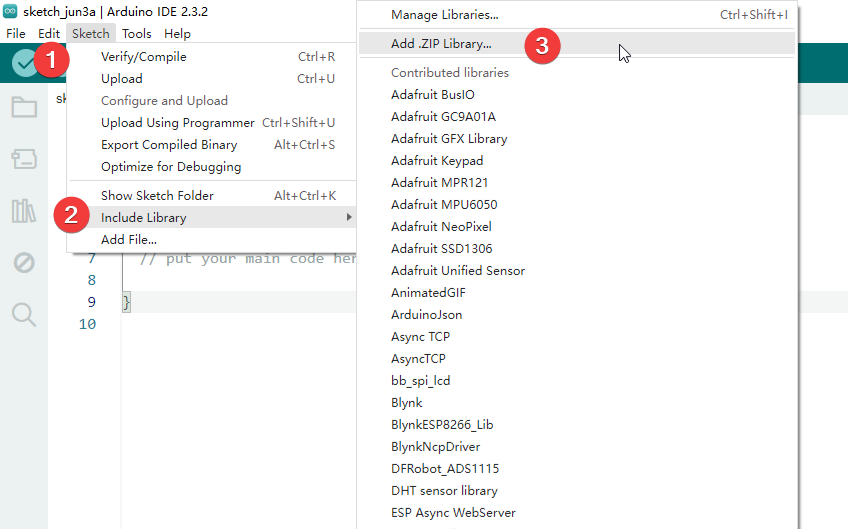
Go to Sketch > Include Library > Add .ZIP Library…
In the file browser, navigate to the
lib/folder in the source code package.Select a
.zipfile (e.g.,lvgl.zip) and click Open.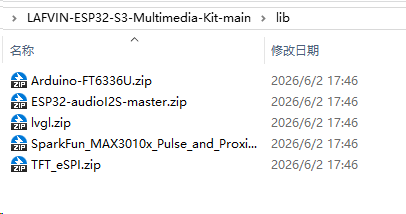
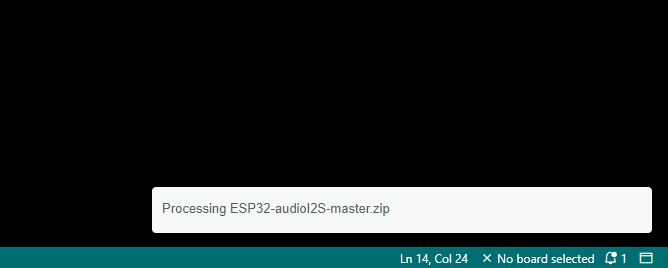
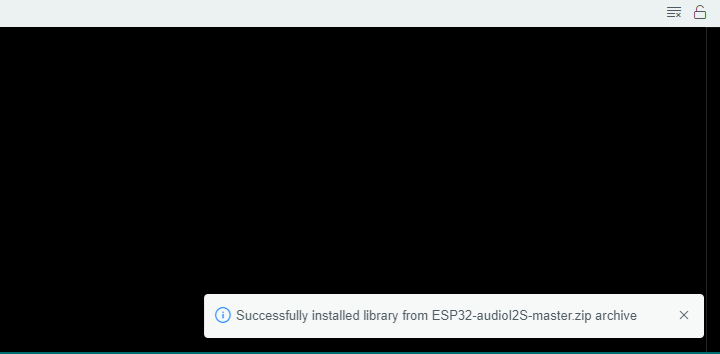
Arduino IDE will extract and install the library automatically. A notification “Library installed” will appear in the bottom status bar.
Repeat steps 2–5 for each of the remaining
.zipfiles.
After installation, you can verify the libraries are installed by going to Sketch > Include Library — they should appear at the bottom of the list under “Contributed libraries”.
Method 2: Manual Installation
If the ZIP method does not work, you can install libraries manually:
Locate your Arduino libraries folder:
Windows:
C:\Users\<YourName>\Documents\Arduino\libraries\macOS:
~/Documents/Arduino/libraries/Linux:
~/Arduino/libraries/
Extract each
.zipfile into thelibraries/folder.For example, after extracting
lvgl.zip, you should have:Arduino/ └── libraries/ └── lvgl/ ├── library.properties ├── src/ └── ...Restart Arduino IDE, and the libraries will be recognized automatically.
Verify Installation
To check if all libraries are installed correctly:
Open Arduino IDE and go to File > Examples.
Scroll down to the “Examples from custom libraries” section.
You should see entries for LVGL, TFT_eSPI, FT6336U, ESP32-audioI2S, and SparkFun MAX3010x.
If any library is missing, repeat the installation for that specific .zip file.